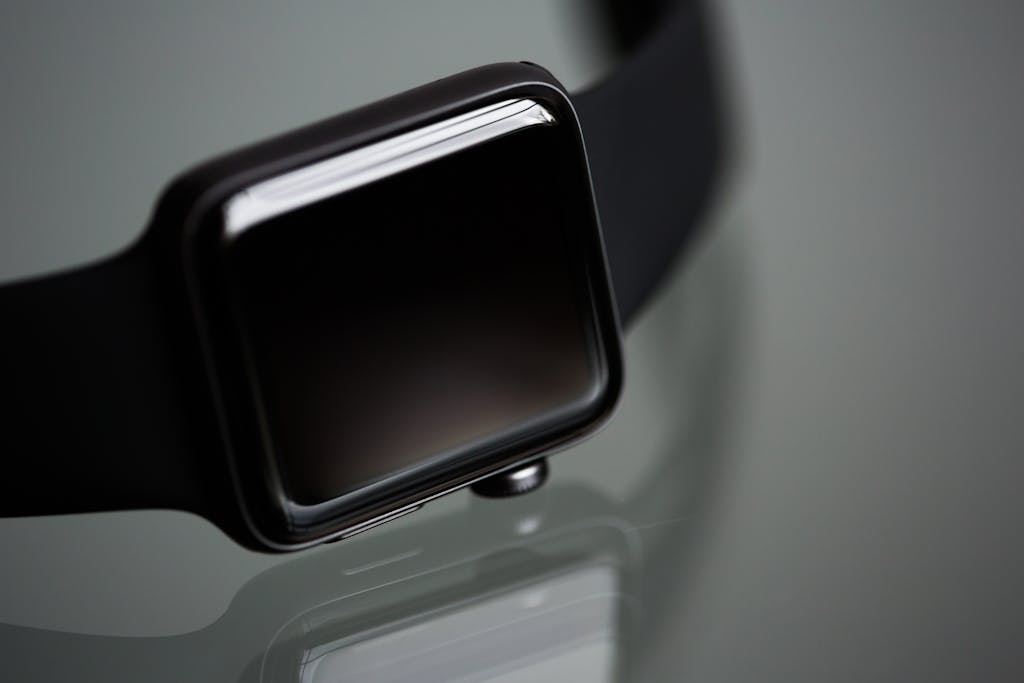
Among all health-tracking wearables, the smartwatch remains the most versatile. In 2025, these devices blend clinical-grade accuracy with user-friendly design, giving seniors a single tool for safety, communication, and health insight. Modern models track heart rate, sleep, blood oxygen, and even detect falls or irregular heart rhythms. Some now send alerts directly to caregivers or physicians — turning a stylish accessory into a real partner in independent living.
What Makes a Smartwatch “Senior-Friendly”
To make this list, a smartwatch must:
• Prioritize clarity: large fonts, bright displays, intuitive menus.
• Enhance safety: fall detection, emergency SOS, ECG or irregular-rhythm monitoring.
• Simplify setup: guided pairing, automatic calibration, secure data sharing.
• Respect privacy: HIPAA-level encryption and verified firmware updates.
• Offer staying power: battery life of at least one day (preferably more).
Each of the following watches checks those boxes — differing mainly in style, cost, and connectivity.
1. Apple Watch Series 10 (2025 Edition)
Best for: All-around health integration and caregiver connectivity
• FDA-cleared ECG and SpO₂ sensors; new fall-and-arrhythmia AI alerts.
• “Check In” feature lets family verify your safety via Health app.
• Seamless data sync to Apple Health and most hospital portals.
• Average battery: ~18 hours; quick-charge to 80% in 45 minutes.
Drawback: Price (~$399 and requires iPhone) and frequent charging.
Affiliate note: Available via Amazon and Apple Store affiliate programs.
2. Samsung Galaxy Watch 7
Best for: Android users seeking medical-grade monitoring
• Detects irregular heart rhythms, oxygen saturation, and snoring patterns.
• Enhanced SOS call integration works without a paired phone on LTE models.
• Simple voice-assistant controls (“Hi Bixby, check my heart rate”).
• Battery life ~40 hours; Qi wireless charging.
Drawback: Interface can feel busy for first-time users.
Affiliate note: Available through Amazon and Best Buy affiliate partners.
3. Fitbit Sense 3
Best for: Simplicity and longer battery life
• Tracks stress response, sleep quality, and skin temperature.
• Built-in voice assistants (Google and Alexa).
• 6-day battery life and automatic sync to Fitbit app.
• Lightweight design ideal for smaller wrists.
Drawback: No direct cellular calling; relies on smartphone connection.
Affiliate note: Sold via Amazon and Fitbit affiliate networks.
4. Garmin Venu 3
Best for: Outdoor-oriented retirees who want accuracy and durability
• Excellent GPS and altimeter for walks and trails.
• Pulse Ox and heart-rate sensors with clinician-grade reliability.
• 7-day battery life and rugged build rated 5ATM water-resistant.
Drawback: Fewer built-in apps and no fall detection (yet).
Affiliate note: Garmin affiliate links through CJ or Awin.
5. Lively Smart Wearable (Verizon Connected)
Best for: Seniors who want a medical alert and smartwatch in one
• Dedicated 24/7 Urgent Response button with GPS tracking.
• Fall detection included in monthly service plan.
• Large icons and simple voice commands.
• 3-day battery life with low-power mode.
Drawback: Requires service subscription (~$25 monthly).
Affiliate note: Available via Verizon affiliate portal.
Choosing Based on Your Priorities
| Need | Best Pick | Why |
| All-around health ecosystem | Apple Watch Series 10 | Tight integration and caregiver alerts |
| Android compatibility | Samsung Galaxy Watch 7 | Strong LTE and AI monitoring |
| Ease & Battery life | Fitbit Sense 3 | Light, affordable, minimal maintenance |
| Outdoor durability | Garmin Venu 3 | GPS accuracy & 7 day battery |
| Emergency response focus | Lively Smart | Built-in SOS and support plan |
Pro Tips for Daily Use
• Charge on a routine schedule (e.g., after shower or before bed).
• Keep firmware updated to retain accuracy and security.
• Enable SOS and fall-detection features during setup.
• Share summary reports with your doctor at each appointment.
Smartwatches work best when used consistently — they’re a partner in maintaining independence.
Looking Ahead
AI integration will continue to improve accuracy and detect issues like sleep apnea or stress responses before symptoms appear. Expect lighter materials, better battery chemistry, and simpler interfaces geared specifically for older adults by 2026.
Download: Smart Device Comparison Checklist (PDF)
Educational only. The information on seniortownhall is provided for general educational purposes and is not financial, legal, tax, medical, insurance, or investment advice. Rules (e.g., Social Security, Medicare, tax law) change frequently and may have changed since publication.
Please consult a qualified professional who can consider your individual circumstances before acting on any information.
© 2026 seniortownhall. All rights reserved.