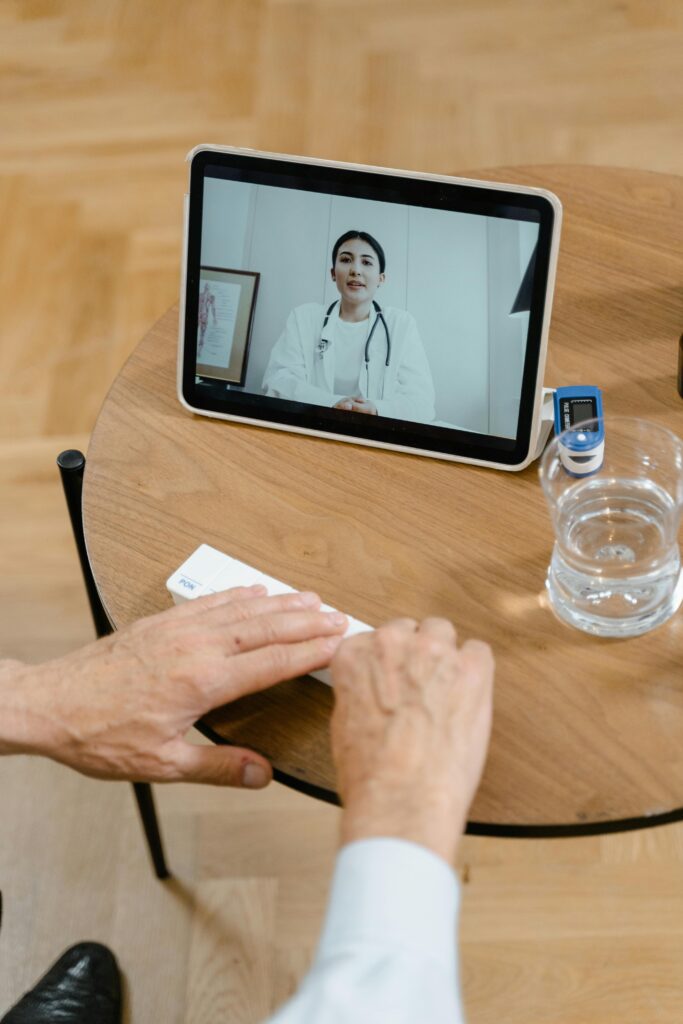
Setup, Safety, and Choosing the Right Platform
For many seniors, the first virtual appointment can feel a little intimidating — but once you’ve done it, it’s surprisingly simple. A few minutes of preparation can turn telehealth from a technical hurdle into an easy, even enjoyable, way to stay in touch with your doctor. This guide shows you how to set up, stay safe, and choose the telehealth service that fits your comfort level.
Start with Security
Before scheduling, make sure your provider uses a HIPAA-compliant, encrypted platform. Look for:
• Secure log-ins and unique meeting links.
• A business-associate agreement or HIPAA notice on the provider’s website.
• Portals branded with your health system — never public apps like FaceTime, WhatsApp, or Zoom Basic.
Avoid red flags such as:
• Requests for gift-card payment or bank information.
• Links sent from unfamiliar emails.
• Platforms that don’t require a password.
Tip: A legitimate telehealth visit always takes place inside your provider’s portal or approved app — never through a random link.
Simple Setup Checklist
Before your first appointment, spend 5 minutes on a “tech check.”
1. Internet: Use a stable Wi-Fi connection; sit close to the router if possible.
2. Lighting: Face a soft light source so your provider can see you clearly.
3. Camera & Microphone: Test both — many sites have a built-in preview window.
4. Background & Noise: Choose a quiet, private space.
5. Login: Open your portal early to allow time for updates or password resets.
If you use hearing aids, turn them to “phone” or “stream” mode; if you use glasses, reduce glare from windows or lamps.
Using Patient Portals
Most health systems provide an online patient portal for appointments, records, and secure messaging. Set up your account well before your visit by:
• Creating a strong password + two-factor authentication.
• Updating contact and emergency info.
• Reviewing medication lists and test results.
The Mayo Clinic recommends linking your caregiver or family contact for shared access — a simple way to help someone you trust stay informed.
Choosing the Right Platform
1. Health-System Portals
If your doctor already offers telehealth through your hospital or clinic, that’s the easiest path.
Pros: Integrated records, automatic insurance billing, and direct scheduling.
Cons: Only works with that provider network.
2. Independent Telehealth Services
Platforms like Amwell, Teladoc, and Doctor on Demand specialize in quick, on-demand appointments.
Pros: 24/7 availability, transparent pricing, mobile-app convenience.
Cons: Limited access to your medical history unless you upload it.
3. Phone-Based Visits
For seniors with slow internet or minimal tech comfort, many practices still offer audio-only calls.
Pros: Simplest option, no device setup.
Cons: Limited diagnostic capability and documentation.
Accessibility Note: Check that the platform supports closed-captioning, screen magnification, or voice-assistant compatibility before committing.
Telehealth Etiquette
A few habits make virtual visits smoother and more effective:
• Keep your medications and recent readings (BP, glucose, etc.) nearby.
• Write down questions ahead of time.
• Look at the camera when speaking — it helps your provider read facial cues.
• Stay logged in for follow-up instructions or prescriptions.
If you’re joining as a caregiver, announce your role at the beginning of the call so the provider knows who’s in the room.
When to Ask for an In-Person Visit
Telehealth is ideal for follow-ups, chronic-care check-ins, and counseling sessions. But schedule an office visit if you experience:
• New or severe pain
• Breathing difficulty or chest pressure
• Wounds, rashes, or swelling needing examination
• Any condition your provider specifically requests to see in person
Think of telehealth as continuing care — not complete care.
Emerging Tools to Watch
The next generation of telehealth platforms is blending remote monitoring with AI.
• Smart blood-pressure cuffs and glucose meters now upload data directly to provider dashboards.
• AI-powered symptom checkers can triage issues before a human consult.
• Some systems even integrate virtual nurse assistants that guide patients through post-visit care steps.
These technologies help doctors track adherence and spot problems early — without extra appointments.
Bottom Line
Once the basics are set up, telehealth can feel as natural as answering a phone call. With secure tools, a little preparation, and the right platform, virtual visits save time, simplify care, and keep seniors connected to their providers wherever they are.
Download: Telehealth Setup & Platform Comparison Checklist (PDF)
Next Read: Best Telehealth Services for Seniors in 2025
Educational only. The information on seniortownhall is provided for general educational purposes and is not financial, legal, tax, medical, insurance, or investment advice. Rules (e.g., Social Security, Medicare, tax law) change frequently and may have changed since publication.
Please consult a qualified professional who can consider your individual circumstances before acting on any information.
© 2026 seniortownhall. All rights reserved.